Art · Beginner
Video editing from zero
A guided path from start to finish — the best lessons, in the right order, with checkpoints that prove you can do it.
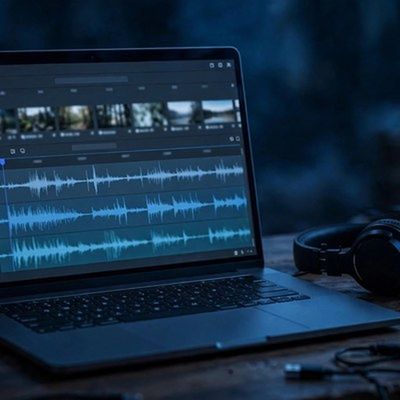
Your finish line
Edit, title, and export a 60-second video end-to-end — with cuts, transitions, music, and captions — from your own clips.
What you will do, step by step
- 1LessonCapCut Beginner Tutorial (2026) - Beginner to ProLesson by Matt Loui
- 2LessonCapCut Tutorial for Beginners 2026Lesson by Metics Media
- 3LessonHow to use CapCut Video EditingLesson by Kevin Stratvert
- 4CheckpointCut checkProve it — do it yourself.
- 5LessonHow to Cut, Split, and Trim Clips Fast in CapcutLesson by Techavro
- 6LessonHow To Make Smooth Transitions In CapCut - (Easy Guide)Lesson by How To-ish
- 7LessonA Full Guide on How To Edit Your Audio in Your Videos | CapCut 101 | CapCutLesson by CapCut
- 8CheckpointAudio checkProve it — do it yourself.
- 9LessonHow to Use Text Templates in CapCutLesson by Michael Brig
- 10LessonAdd Auto Captions in CapCut (Talking Head Video in 2 Minutes)Lesson by Video School
- 11CheckpointTitles + captions checkProve it — do it yourself.
- 12LessonHow To Make Slow Motion Video in CapCut - Complete GuideLesson by Cederic Schmid
- 13LessonCapCut Pro Color Grading Tutorial for Beginners 🔥 | Cinematic Colors Made Easy!Lesson by Hit Filmz 🇺🇬
- 14CheckpointPolish checkProve it — do it yourself.
- 15LessonHow to Increase Mobile Video Quality in CapCut + Upload in HD 🔥Lesson by Ashtra Creation
- 16CheckpointExport checkProve it — do it yourself.
- 17LessonCapCut Desktop Tutorial for Beginners (PC & Mac, Step-by-Step)Lesson by Justin Brown - Primal Video
MyPath turns the world’s best lessons into one clear, guided path. Pick a finish line, follow your next step, and learn from start to finish — no endless feed, no autoplay, no paywall on learning.