Art · Beginner
Make digital art from zero
A guided path from start to finish — the best lessons, in the right order, with checkpoints that prove you can do it.
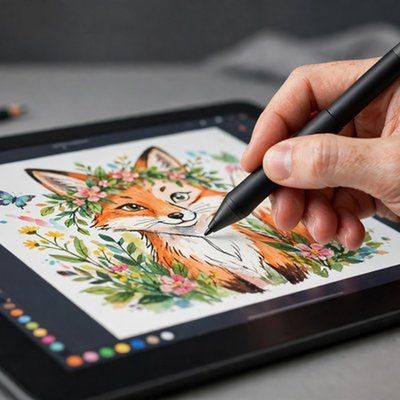
Your finish line
Finish and export one complete digital illustration — layered, shaded, and shareable.
What you will do, step by step
- 1LessonTHE BEGINNER'S GUIDE TO DIGITAL ART (from an art teacher)Lesson by Marc Brunet
- 2LessonKrita Tutorial for Beginners: Start Painting in 8 Minutes 🎨Lesson by Aaron Rutten
- 3CheckpointCheckpoint: app installed and first canvas readyProve it — do it yourself.
- 4LessonHow to Use Layers for Digital PaintingLesson by Proko
- 5LessonDigital Painting: How To Choose BrushesLesson by Small Robot Studio
- 6LessonProcreate Lineart for Beginners | Smooth Lines & Free BrushesLesson by Artsydee
- 7CheckpointCheckpoint: rough sketch plus clean lineart on separate layersProve it — do it yourself.
- 8LessonColor Theory for Artists: 7 Tips to Instantly Improve Your ArtworkLesson by RetroSupply Co.
- 9LessonDraw a simple character illustration | Clip Studio Paint for BeginnersLesson by CLIP STUDIO PAINT
- 10LessonHow To Shade Digital Art! [ 3 techniques ]Lesson by xavierhao
- 11LessonThe Shading Lesson That Made My Art Career PossibleLesson by Marco Bucci
- 12CheckpointCheckpoint: shaded piece with a clear light sourceProve it — do it yourself.
- 13LessonTips for Drawing Backgrounds!Lesson by BaM Animation
- 14LessonHow to Export Images from Procreate (3 Easy Ways for Perfect Quality)(+ Free Cheat Sheet!)Lesson by Artsydee
- 15CheckpointFINAL CHECKPOINT: one complete illustration, layered, shaded, and exportedProve it — do it yourself.
MyPath turns the world’s best lessons into one clear, guided path. Pick a finish line, follow your next step, and learn from start to finish — no endless feed, no autoplay, no paywall on learning.