Skills · Beginner
3D printing from zero
A guided path from start to finish — the best lessons, in the right order, with checkpoints that prove you can do it.
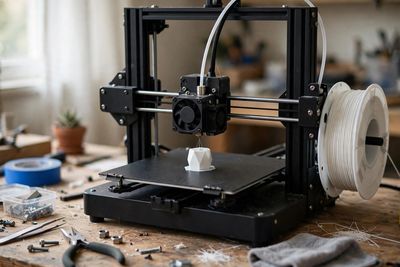
Your finish line
Design and print your first 3D object — slicing, materials, and print settings — and hold a finished print in your hand.
What you will do, step by step
- 1Lesson3D PRINTING 101: The ULTIMATE Beginner’s GuideLesson by The 3D Printing Zone
- 2LessonThe 3D Printer I'd Buy if I Started Today (2026)Lesson by Shop Nation
- 3Lesson3D Printing for Beginners: From Model to Print with Orca SlicerLesson by Ricky Impey
- 4CheckpointCheckpoint: pick your first printerProve it — do it yourself.
- 5LessonAll the Different 3d printing Filaments Explained!Lesson by Technivorous 3d Printing
- 6LessonHow to find FREE 3D Printing models using search enginesLesson by Maker's Muse
- 7LessonHow To Use Bambu Studio: Complete Beginner Tutorial For 3D PrintingLesson by Planet 3DP
- 8Lesson3D Printing 101 - Slicer SettingsLesson by 3D Printing Professor
- 9CheckpointCheckpoint: slice a model yourselfProve it — do it yourself.
- 10LessonThe 3DBenchy is an awesome model - but do you know how to use it?Lesson by Made with Layers (Thomas Sanladerer)
- 11Lesson3D Print Not Sticking? 9 Ways to Get Perfect Bed AdhesionLesson by The 3D Printer Bee
- 12Lesson3D printer troubleshooting - Free step by step help websiteLesson by Teaching Tech
- 13CheckpointCheckpoint: diagnose and fix a failed printProve it — do it yourself.
- 14LessonHow To: Use Tinkercad 3D Design Software 101Lesson by MatterHackers
- 15LessonCreate a 3D Snowman using TinkerCAD | Beginner 3D Modeling TutorialLesson by Penguin Tutor
- 16CheckpointFinish: design and print your first 3D objectProve it — do it yourself.
MyPath turns the world’s best lessons into one clear, guided path. Pick a finish line, follow your next step, and learn from start to finish — no endless feed, no autoplay, no paywall on learning.